
Integrations
RFQ to PO, inside Outlook.
The full buy-and-sell trading cycle runs where your traders already work, inside the Outlook you already own. No new app to open, no window to switch to, no second system to keep in sync.
One inbox, both sides of the desk
The whole cycle, where the work already happens
aersyn.ai reads every RFQ, prices it against your stock and your client tiers, drafts the reply, follows up, and reconciles the PO. The sell side and the buy side run in the same place: your Outlook. Your trader reviews a finished draft and hits send.
Sell side
- Inbound RFQ read and triaged the moment it lands.
- Priced draft ready in the client's own format.
- Every quote followed up, so no live deal goes quiet.
Buy side
- Sourcing outreach drafted, you choose who to contact.
- Vendor replies matched back to the right deal.
- PO reconciled against your quote before parts ship.
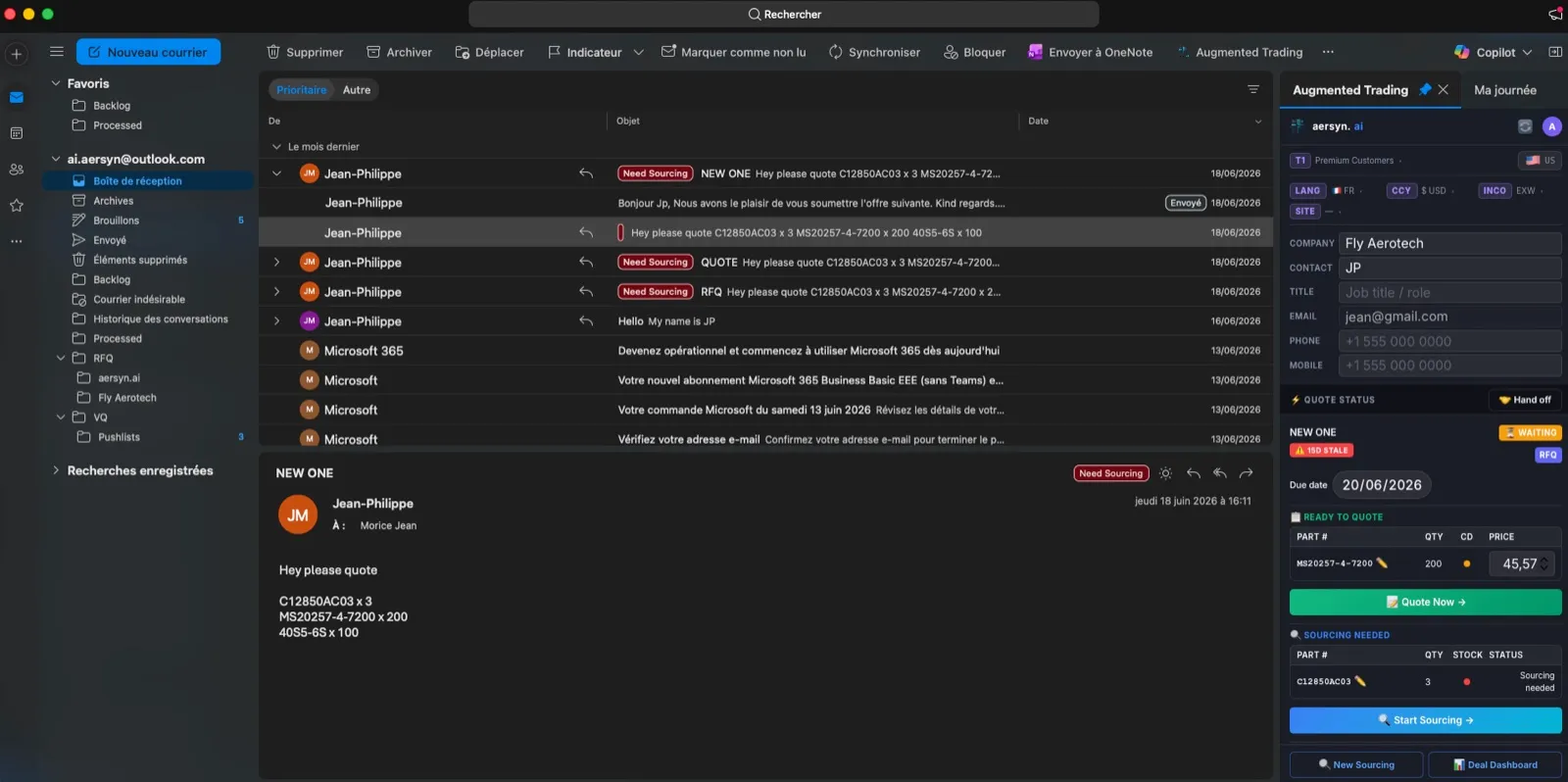
What connects, and how
Honest about what plugs in where
Email intake
RFQ intake is Outlook and Microsoft 365 only. That is the one door requests come through, and it is the tenant you already own.
Stock data sources
Excel, Google Sheets, and OneDrive are stock data sources, not email intake. They tell aersyn.ai what you have on the shelf, nothing more.
Your ERP
On request, we connect your ERP with a tailored connector we build and maintain: it reads your stock and writes data back into your fields, the way you want it. Nothing for your IT to run or patch.
Running ILS or PartsBase?
Both are built into the same screen
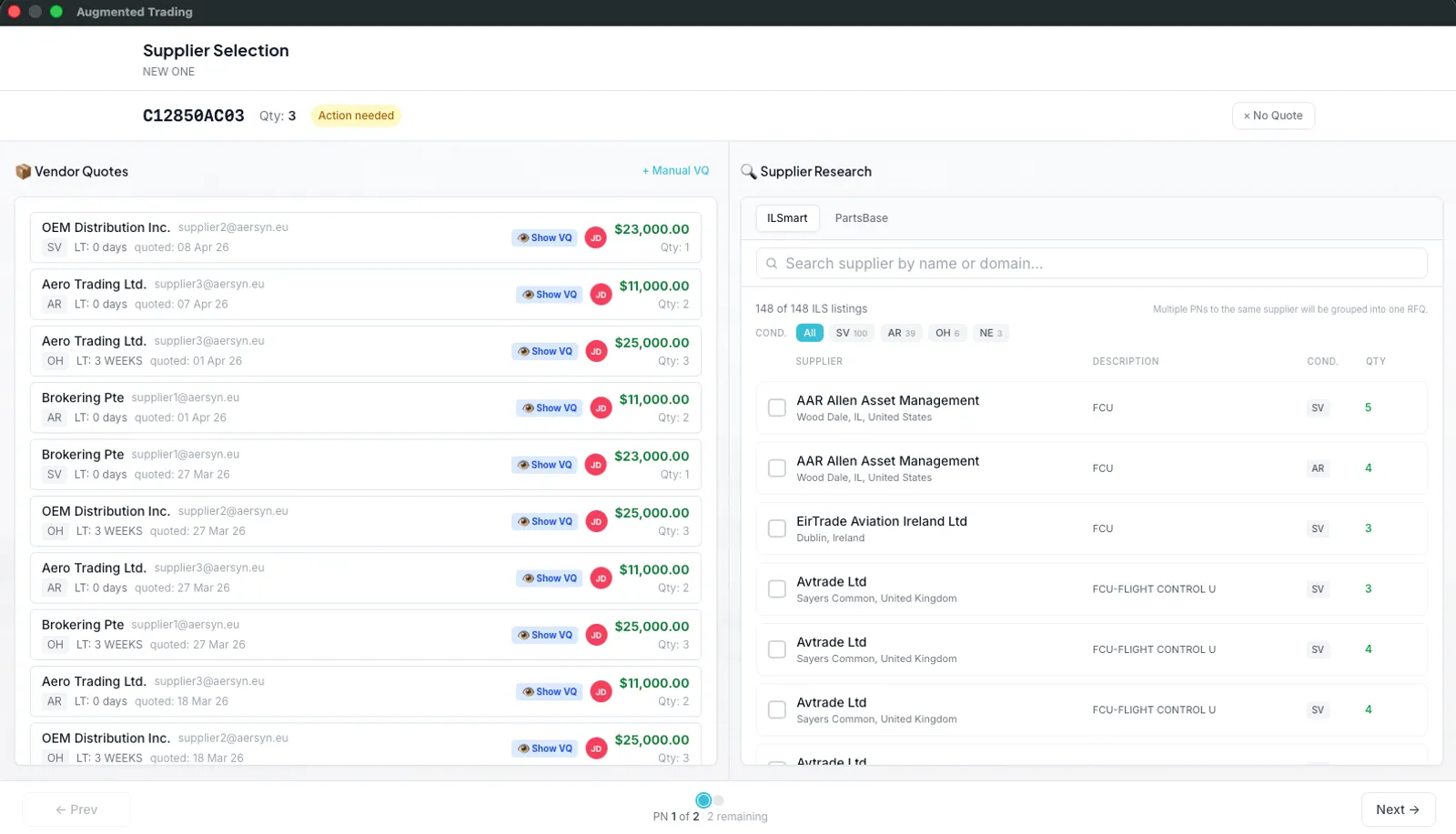
aersyn.ai connects to ILS and PartsBase with your own accounts. When a part needs sourcing, your trader searches live availability on both from the deal that started as an RFQ in Outlook. No window switching, no re-typing part numbers, no pasting results back.
- Live availability from ILS and PartsBase, searched from the deal screen.
- Supplier RFQs drafted and sent from that same screen, grouped per supplier.
- Vendor replies read and matched back to the right deal, automatically.
- One screen per part: live listings, the stock offers suppliers push to you, every quote sent or received, and your own shelf.
See your own trading cycle, inside Outlook.
Book a 20-min demoLive in about two weeks.