
Insights
How do you follow up on aircraft parts quotes that get no reply?
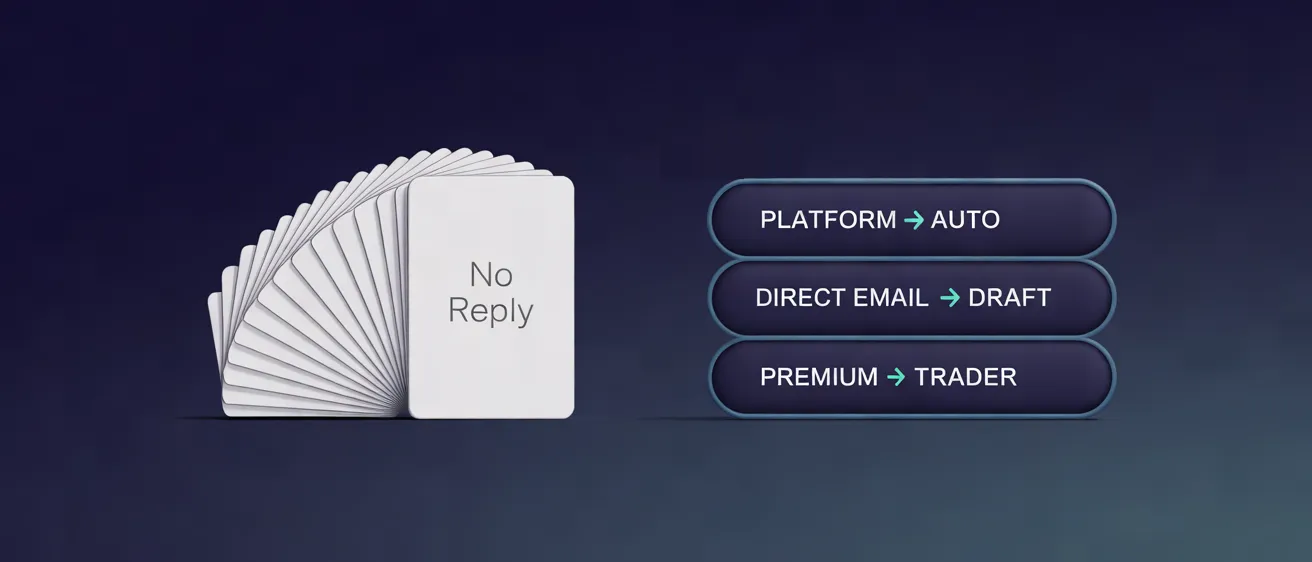
You follow up on a silent quote by keeping track of every quote that went out, flagging the ones the customer has not answered and preparing a short reminder for each, written the way your trader writes. The trader decides which reminders leave, because he knows what was said on the phone. Some can go out on their own, for example on platform RFQs, once you have chosen that segment.
Why do quotes go without a follow-up on a parts desk?
Because the next request is already waiting. When I was a trader, I opened my inbox to about 300 emails that came in overnight, mostly ILS requests for the whole team. About thirty were for me and they took the whole morning. Each quote meant checking the stock in the ERP, the history of the part, the market and the colleague in Asia or in the US who might have sold it already. Then the PDF went out and the quote left my head.
Calling a customer back or writing a follow-up email did not fit in that day. Nobody decided to skip it, there was simply no room left for it.
Which quotes get dropped first?
Not the big ones. A trader under pressure protects his large direct packages and his best accounts, because he knows they convert. What goes quiet is everything else: regular customers, new customers and the requests that came in from the platforms. Those are often the quotes where one reminder would tell you whether the deal is still alive. A new customer who never hears from you after the first quote has little reason to send you the second RFQ.
That silence is hard to see in the P&L, for the same reason as the RFQs nobody answers. The real cost of an unanswered RFQ walks through the arithmetic.
What should a quote follow-up contain?
The quote it refers to, in a few lines the customer recognises: the part number, the condition and the price you sent, plus one sentence that asks where things stand. It should read like the trader wrote it, because the customer knows his trader. A generic reminder sent to a buyer you have worked with for years can do more harm than no reminder at all.
Before it goes out, check that the part is still on the shelf. A follow-up on stock that was sold yesterday creates a problem instead of a sale.
Who should decide whether a follow-up goes out?
The trader, by default. He knows things no system sees. He may have had the customer on the phone the day before, or a negotiation may be under way on another line. A reminder at the wrong moment can undo that work.
So the software prepares and the trader chooses. That is the human-in-the-loop principle. The reasoning behind it is in why a human still hits send.
Can quote follow-ups go out automatically?
Yes, on a segment you pick. One way to set it: follow up regular and new customers, leave premium accounts to the trader, let platform RFQ follow-ups go out automatically and prepare a draft for RFQs that came in by direct email. Platform requests are the ones a trader rarely chases by hand. Direct emails usually carry the relationship, so a person reads those before they leave.
The choice belongs to the desk owner, segment by segment. Open a segment once you have watched the prepared follow-ups long enough to trust them.
How does aersyn.ai handle quote follow-up?
Every quote aersyn.ai sends enters the follow-up. When a quote gets no reply, aersyn.ai checks the stock again, writes the follow-up email in your trader’s style and stages it in the app. Open quotes for the same contact are grouped, so one email can cover several of them. Follow-up rules can be set by contact tier, with an override for a single contact.
When the customer replies by email, aersyn.ai sees the reply. A phone call it does not see, which is one more reason the trader keeps the final word on what was prepared. What goes out on its own is only the part you chose to open.
The pricing page explains what is counted. The follow-up itself is one step in the cycle from the RFQ to the PO, shown on the product page.