
Insights
How do you handle the RFQs that pile up in the ILS and PartsBase mailbox?
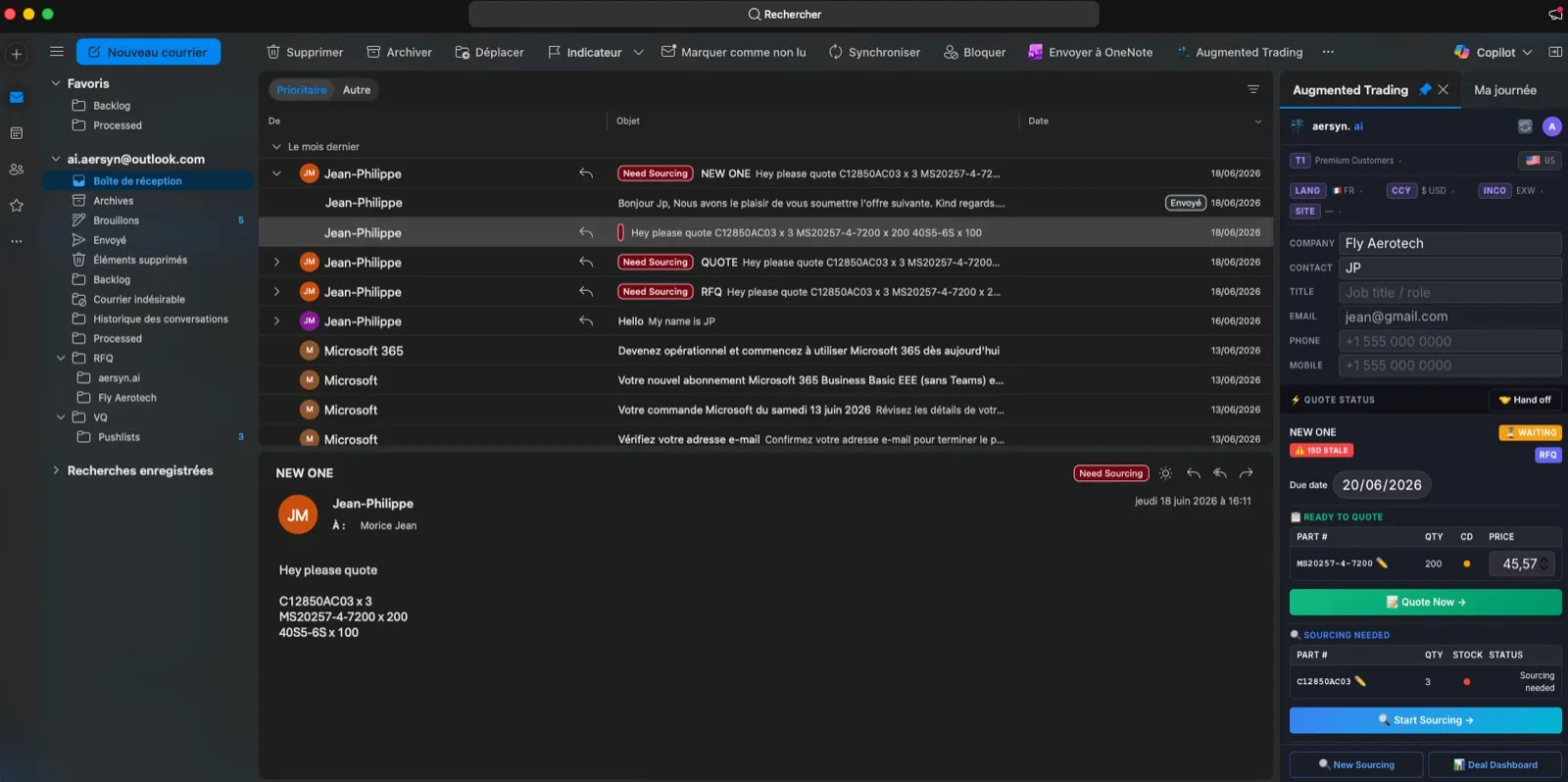
The way to handle the mailbox where ILS and PartsBase requests land is to connect it to software that reads every request, prices the ones you hold in stock under rules you wrote and hands everything else to a trader. The mailbox stops being a pile nobody opens and becomes a queue where the routine work is already done. Your traders keep working in the Outlook they use today.
Why does the platform mailbox go unopened?
Every broker has this mailbox. It is where the requests from ILS, PartsBase and similar platforms arrive, all day long. Everyone knows there is business in it. It still comes after the direct customers, after the urgent calls, after everything else.
That is a rational choice. In my experience, platform requests convert far less often than requests from customers who know you. At that rate the trader’s hour is worth more somewhere else, so on a good day the team handles part of the mailbox and the rest expires unseen. Nobody is wrong. The hour really is scarce.
What does it cost to leave it unanswered?
The cost never appears in a report, because an unanswered RFQ leaves no trace. The same reasoning is in the real cost of an unanswered RFQ. A machine does not count its hours, so a low conversion rate applied to the whole flow still produces real orders, the ones nobody was going to chase because chasing them was never worth a person’s time.
How can software handle ILS and PartsBase RFQ emails automatically?
It reads each request in the Outlook mailbox, whatever form it arrives in: an email thread, a scanned PDF, an Excel attachment, an ILS or PartsBase export. aersyn.ai normalizes the lines, part-number aliases included, checks them against your stock and applies the pricing rules for the client tier. For a part you hold at a price your rules allow, the quote is prepared at once. Nothing about that step needs a person to open the email.
Whether the quote then goes out on its own is your setting. By default a trader reviews the finished draft and hits send. If you turn automatic sending on, it applies only to your own stock. The human-in-the-loop setting works as a dial, not a switch: you decide what the system sends by itself and what goes up to a trader.
What stays with the trader?
Everything that needs judgment. A part you do not hold goes to sourcing and sourcing is always a human decision: aersyn.ai can line up suppliers, but you choose whom to contact and nothing leaves for a supplier behind your back. The same goes for an edge case, a pricing exception or a customer you want to treat by hand.
What do you need to set up?
A connection between the mailbox and aersyn.ai in your Outlook, your stock source and your commercial rules and client tiers. The FAQ puts the time to go live at about two weeks. When your traders need a part from a platform, the ILS and PartsBase integration lets them search availability and send supplier RFQs from the same screen, with your own accounts.
What changes in practice?
The first thing that changes is the morning. The mailbox is no longer a backlog: the stock requests are already priced, the sourcing requests are already flagged and the trader’s time goes to the part of the work that needs a trader. How fast that response should be is the subject of the speed-to-quote benchmark. The full cycle is on the product page.